CompTIA A+ Core 1 & 2
Basic computer navigation (using a mouse, keyboard, and Windows operating system) General familiarity with how hardware and mobile devices work 9 to 12 months of hands-on experience in a technical support or help desk role is suggested by CompTIA to make the material easier to master, but studying from scratch is very common.
Overview
Start your tech career with CompTIA A+, the industry standard certification for entry-level roles. Trusted by employers worldwide, A+ builds foundational skills in hardware, software, networking, troubleshooting, and security. The latest version, V15, is updated for today’s technology and prepares you for roles like IT support specialist and help desk technician through two exams—Core 1 and Core 2
- Basic computer navigation (using a mouse, keyboard, and Windows operating system)
- General familiarity with how hardware and mobile devices work
- 9 to 12 months of hands-on experience in a technical support or help desk role is suggested by CompTIA to make the material easier to master, but studying from scratch is very common.
Certification
“It’s not the certificate that matters the most but preparing for the Industry”
- Participation certificate for all the attendees.
- Deserving performers will be awarded Merit certificates.
- Participants will receive the certificate with a unique code which can be verified online.
- Internship opportunity on Course Completion
Prerequisite
- Basic computer navigation (using a mouse, keyboard, and Windows operating system)
- General familiarity with how hardware and mobile devices work
- 9 to 12 months of hands-on experience in a technical support or help desk role is suggested by CompTIA to make the material easier to master, but studying from scratch is very common.
Eligibility
This course is highly recommended to all the final and pre-final year students preparing for Campus Interview or any fresher looking for a job or professionals who are looking for 30-50% salary hike in their respective organization.
Topics to be covered on this course
- Core 1 (Hardware and Networking) 20Hr
- Mobile Devices: Laptops, smart phones, tablets, and syncing data.
- Networking: Routers, switches, cables, and Wi-Fi basics.
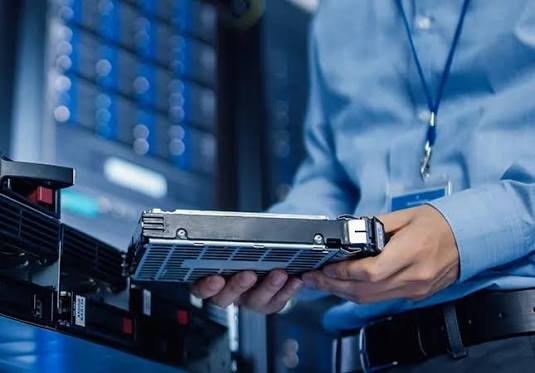
- Hardware: PC parts, CPUs, RAM, storage drives, and power supplies.
- Virtualization and Cloud: Cloud models (IaaS, SaaS, PaaS) and client-side virtualization.
- Hardware Troubleshooting: Fixing device and network connection failures.
- Core 2 (Operating Systems and Security) 20Hr
- Operating Systems: Installing and using Windows, Mac OS, and Linux.
- Security: Malware removal, physical security, and safe habits.
- Software Troubleshooting: Fixing OS errors and mobile app issues.
- Operational Procedures: Safety, communication, and environmental controls.